Stint
Join Waitlist

Stint
Telemetry

Lap timing from your phone or a RaceBox. All the analysis to dig through. A debrief so you know where to look first.

G-G Plot01
Speed095mph
Lat G0.13g
Gap to opt+0.06s
Lap times02
L1
1:49.90
L2
1:55.19
L3
1:49.10
L4
1:50.39
L5
1:49.65
L6
1:45.08
L7
1:46.29
OPT
1:44.80
Lap analysis · L6 vs optimal03
Time delta · vs optimal04
+0.06 s
Braking profile05
Best sectors06
Best sub-sector by lap
00:09:50.00Lap 06
Turn 507
78 in · 59 min · 59 out mph
Brake G0.06g
Long G-0.06g
Lap clock0:35.73
Dist1120m
Peak G1.35g
Sample25Hz
Turns11
DateJun 21
Top speed123mph
Sectors3
TurnT5
Laps7
Length2.12mi
Session21min
Optimal lap1:44.80
Best lap1:45.08
Avg speed073mph
On the table+0.28s
Coasting3.9%
Race engineer · T5*Verbatim
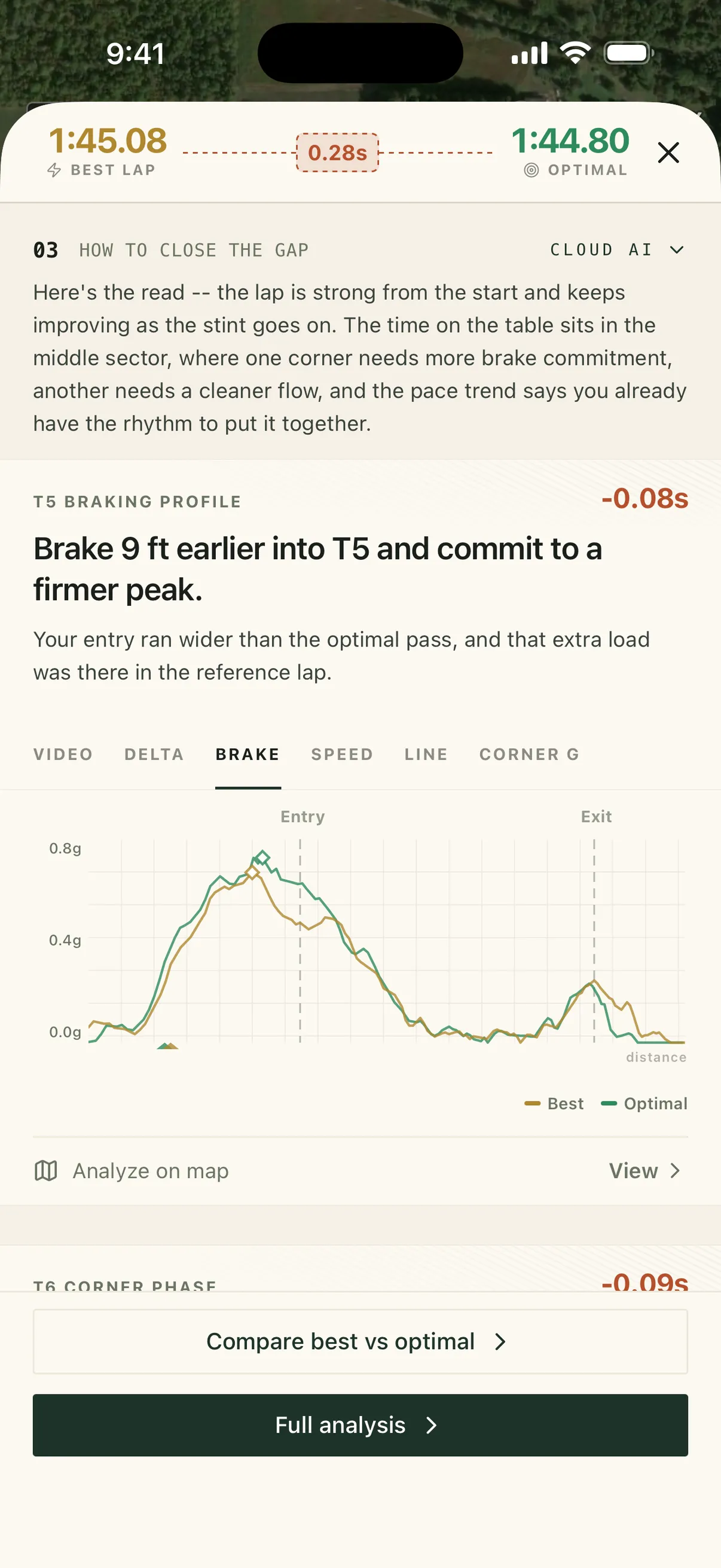
Brake 9 ft earlier into T5 and commit to a firmer peak.−0.08s
Your entry ran wider than the optimal pass, and that extra load was there in the reference lap.
Section 1 of 6

Helmet off. Debrief on.

Every session, Stint measures your best lap against your optimal and writes the debrief — so you know where to look first.

Best lap vs. your Your quickest time through each part of the track, stitched into one lap.
Time on the table
0.00s
Where it went*Time to gain
T5Brake 9 ft earlier into T5 and commit to a firmer peak.Your entry ran wider than the optimal pass, and that extra load was there in the reference lap.0.08s
T6Open T6 a touch earlier on entry and let the car breathe mid-corner.You arrived 2 mph slower, yet still carried 1 mph more minimum speed; the lost time sits in the corner flow.0.09s
T3Brake 13 ft later into T3 and build the initial bite more firmly.Your best lap was earlier and softer on the brakes, while the reference pass stayed cleaner through the middle and left pace on the table.0.06s

*Word for word from Stint’s debrief of this session. Unedited.
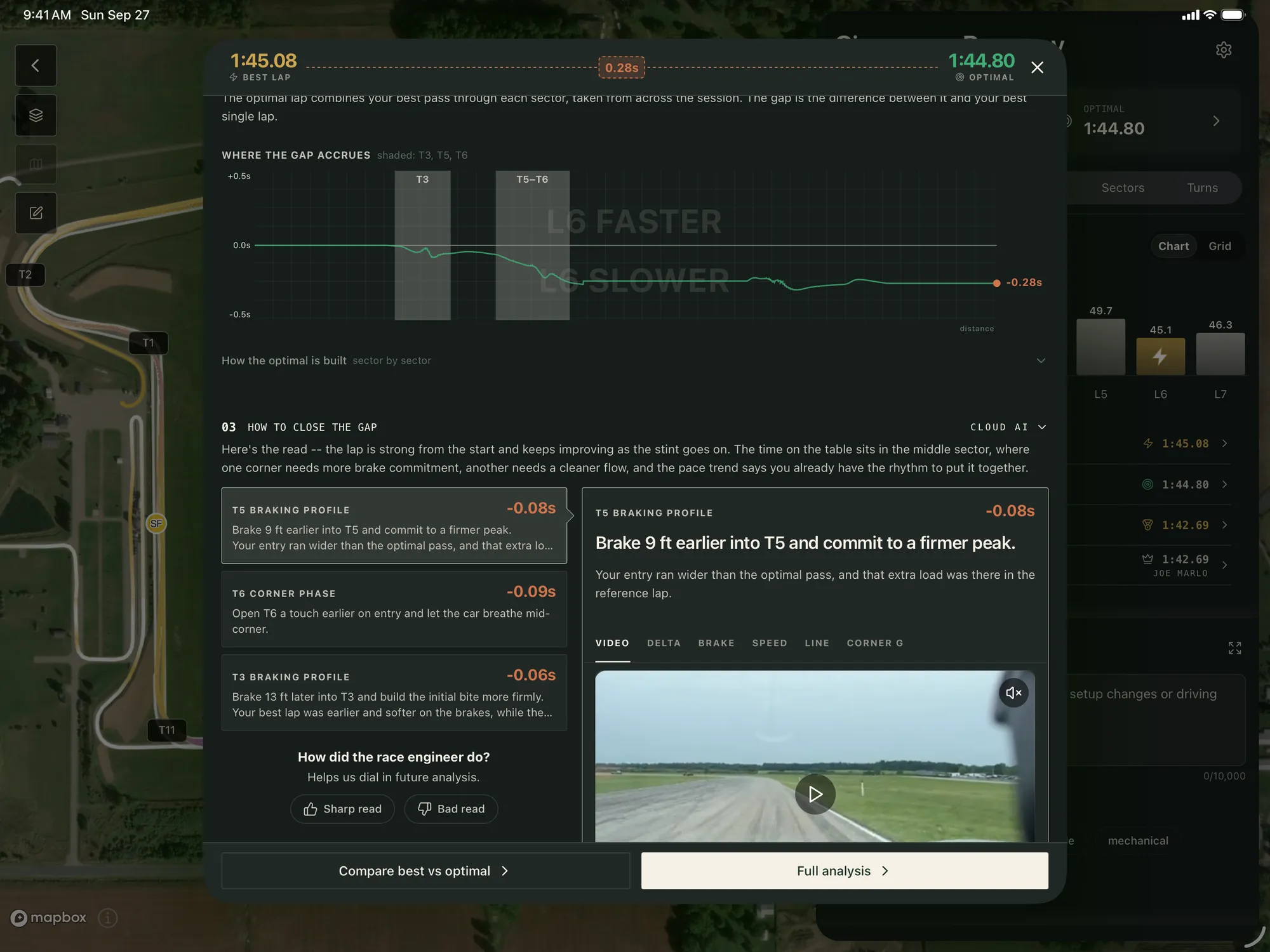
Stint on iPad — the session debrief
The debrief on your phone
Section 2 of 6

From the paddock to the desk.

Your session follows you everywhere. Phone in the car, iPad over lunch, the full desk at home. Each one picks up right where the last left off.
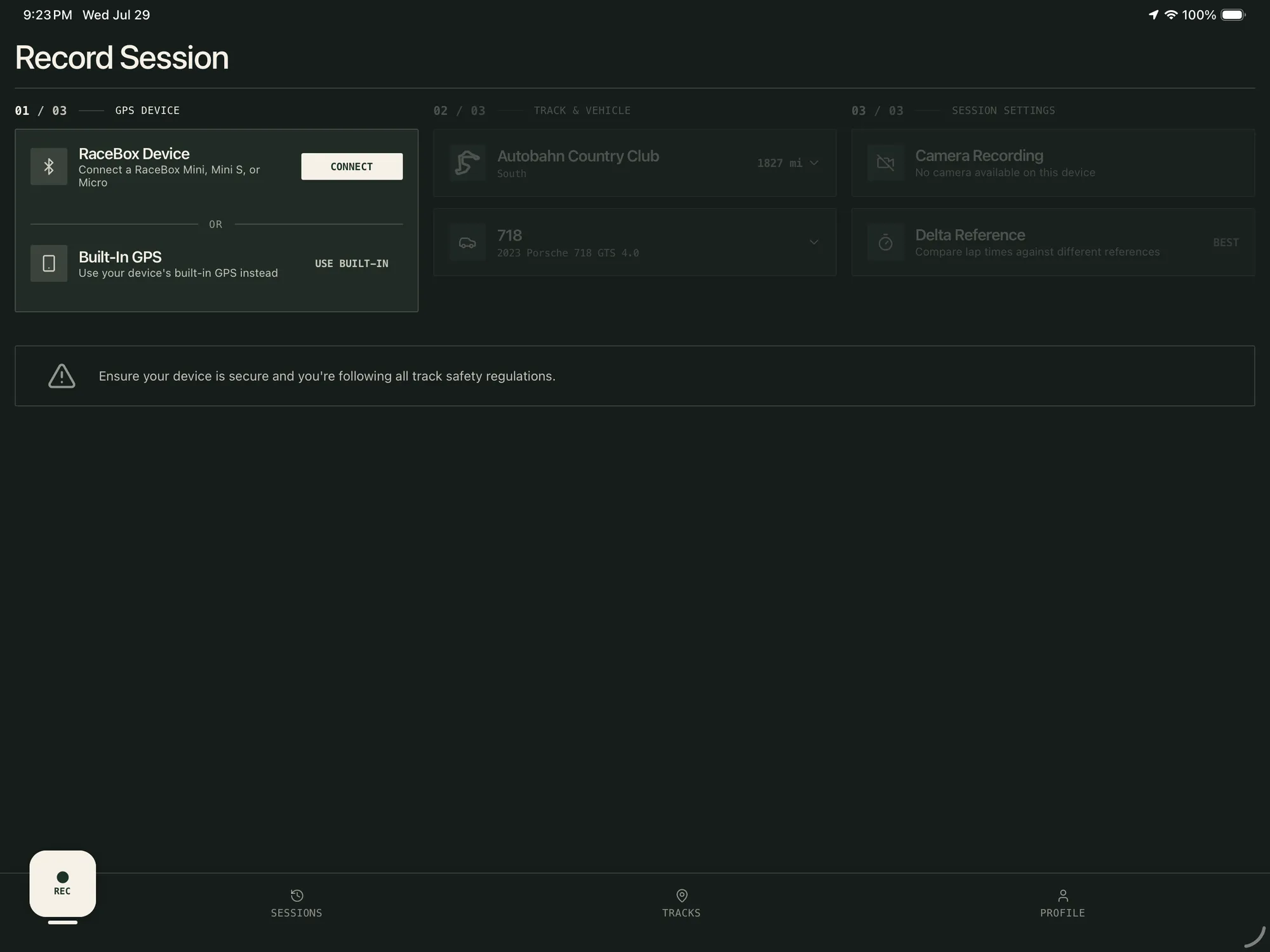
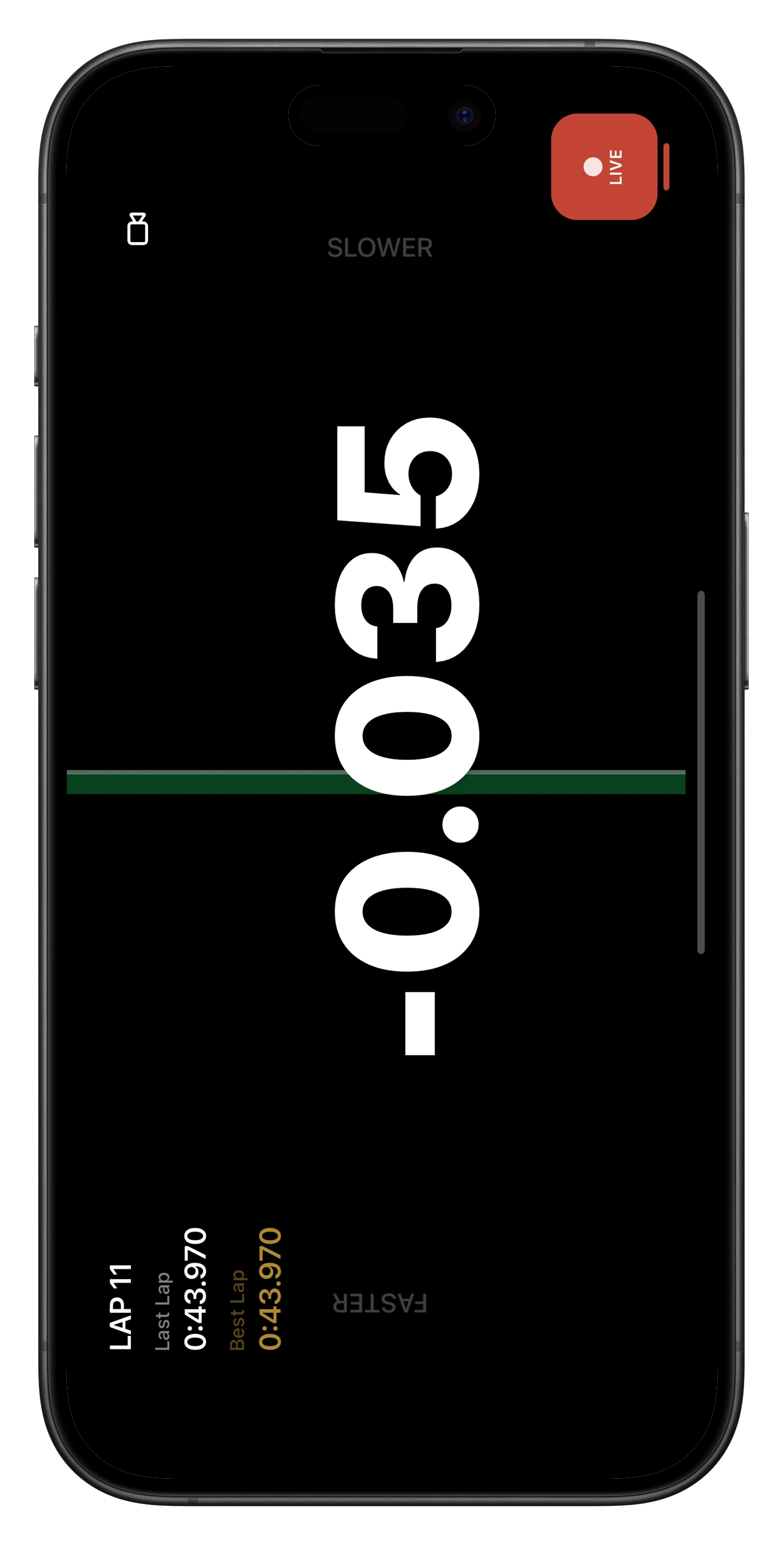
One tap. Then just drive.
Hit record and drive. Stint finds the start/finish line and times every lap and sector on its own. Phone GPS gets you going; a RaceBox at 25 Hz takes the debrief down to the corner.
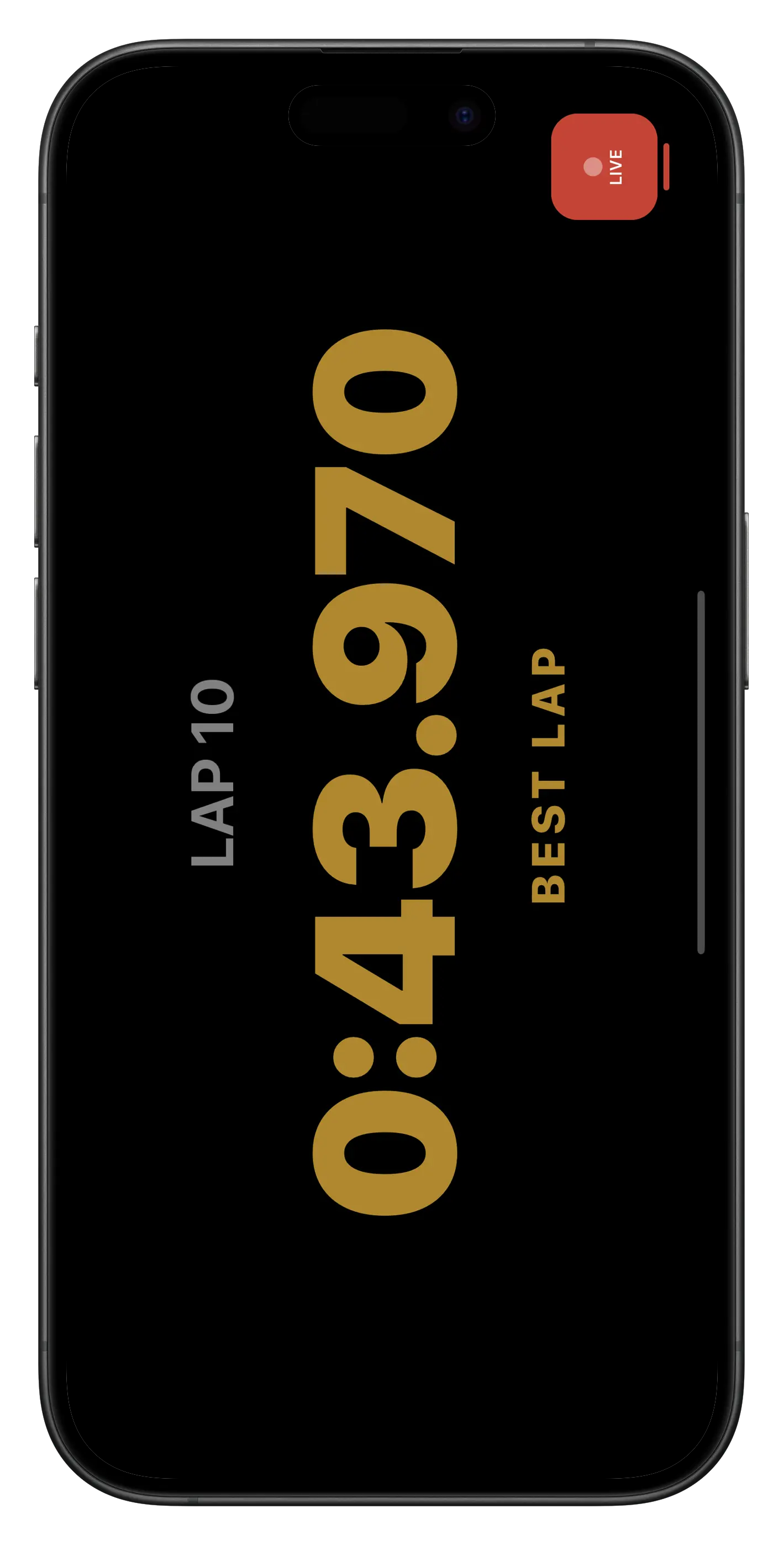
Race yourself. Live.
A live delta against your best, last, or optimal lap, on screen while you drive.
Insight, while the tires are still warm.
Lap times, splits, and the debrief hit your phone before the next run — in time to change something.
What a RaceBox adds ↓
Stint on iPad — Live delta
Section 3 of 6

Uncut telemetry.

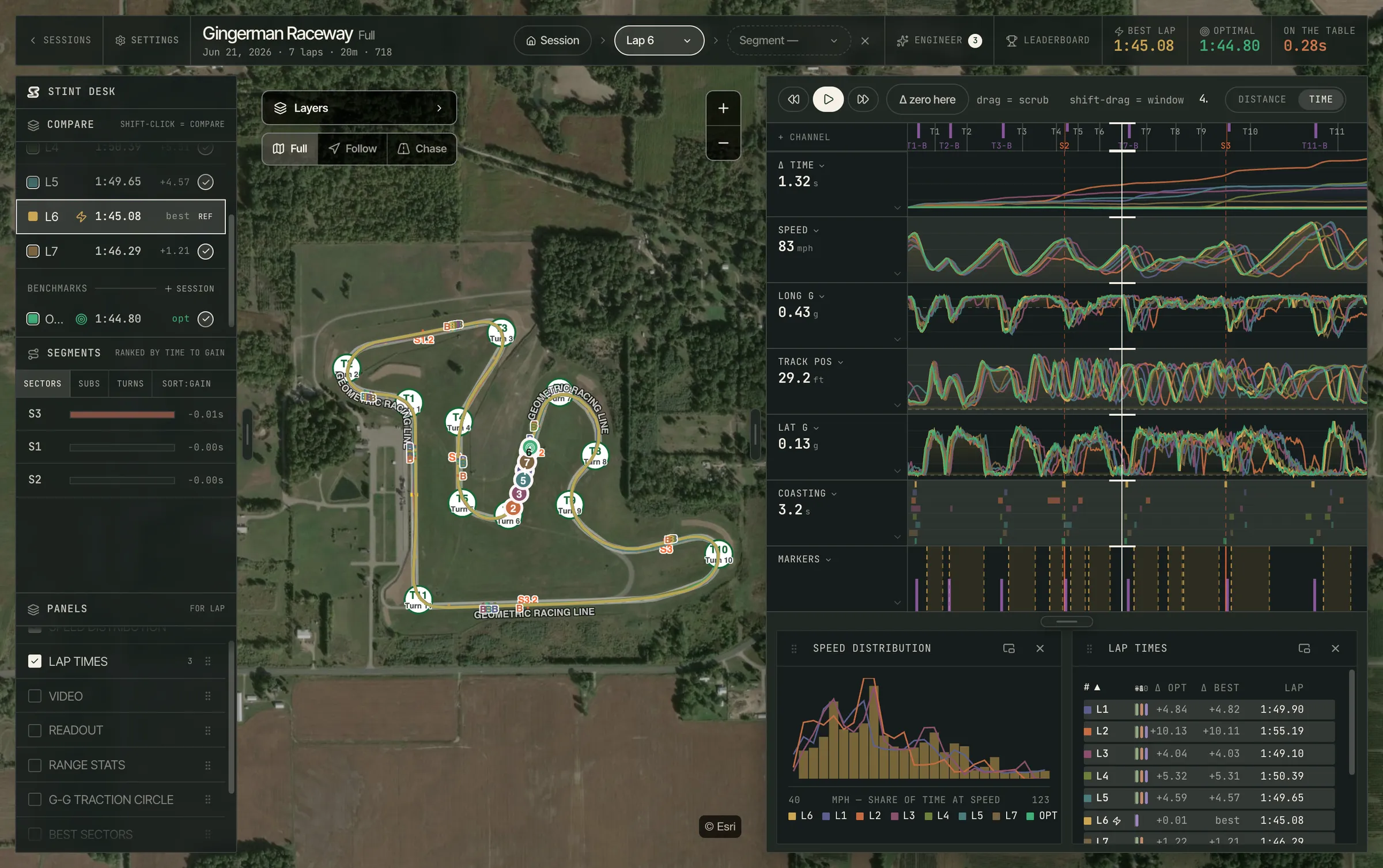
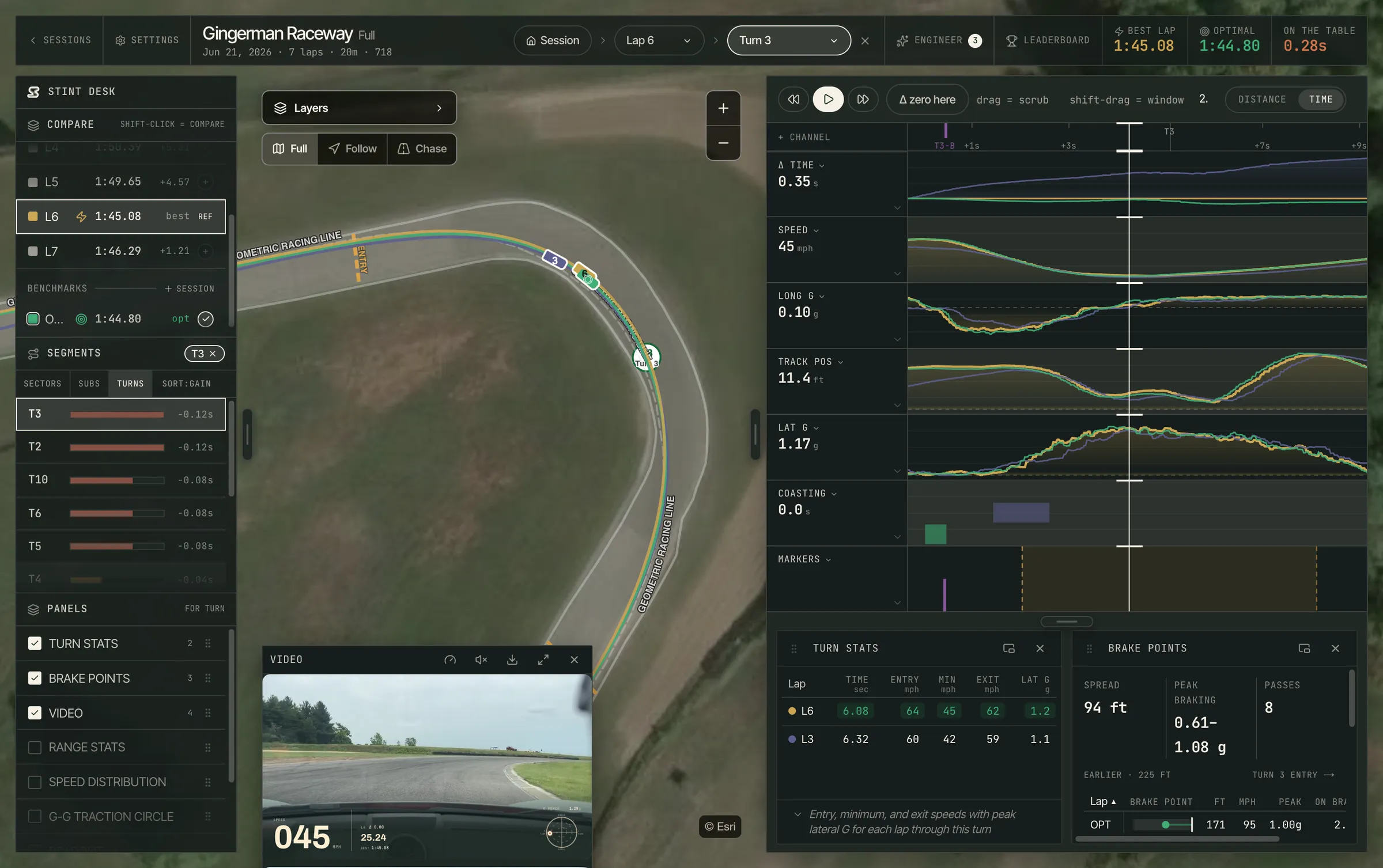
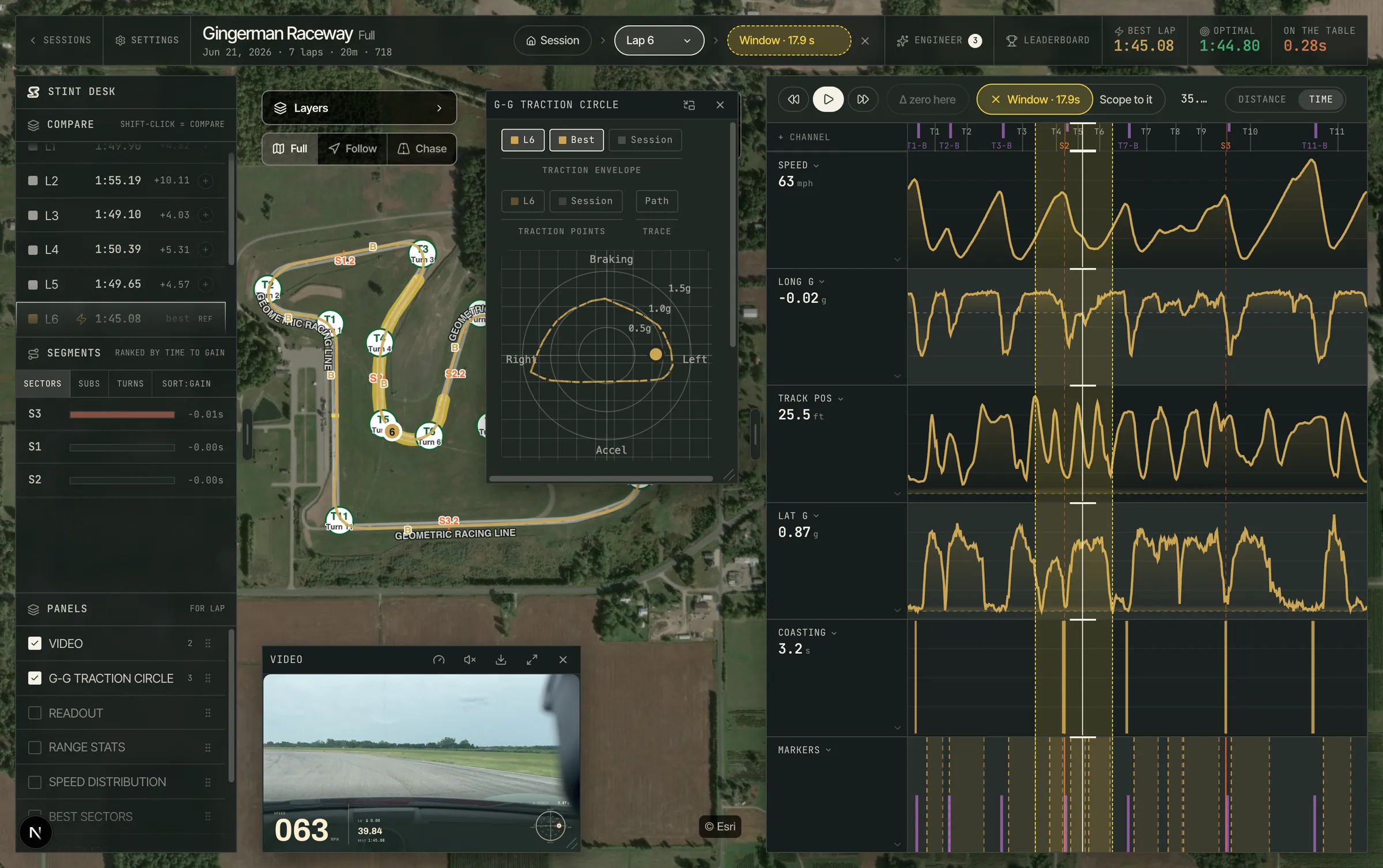
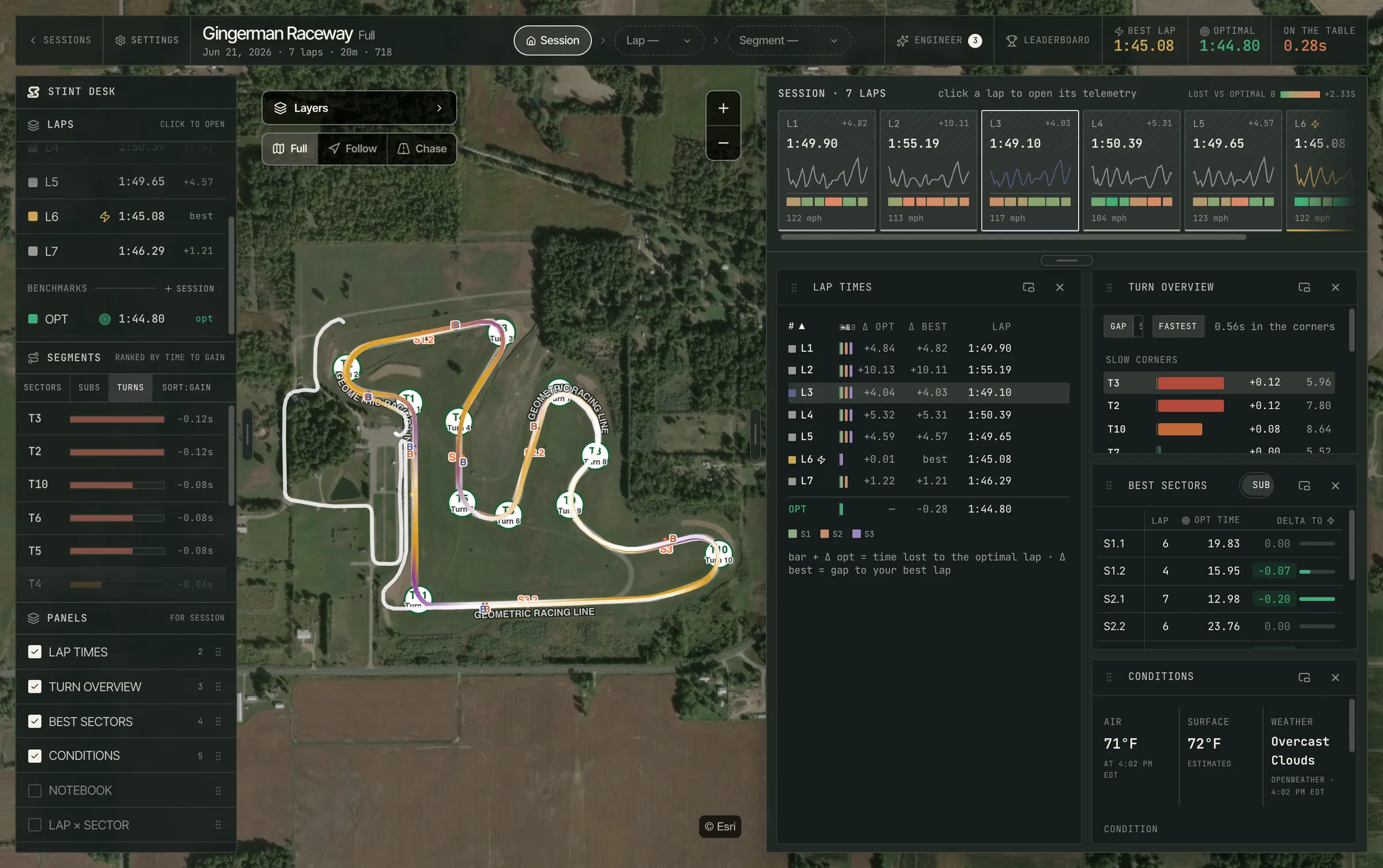
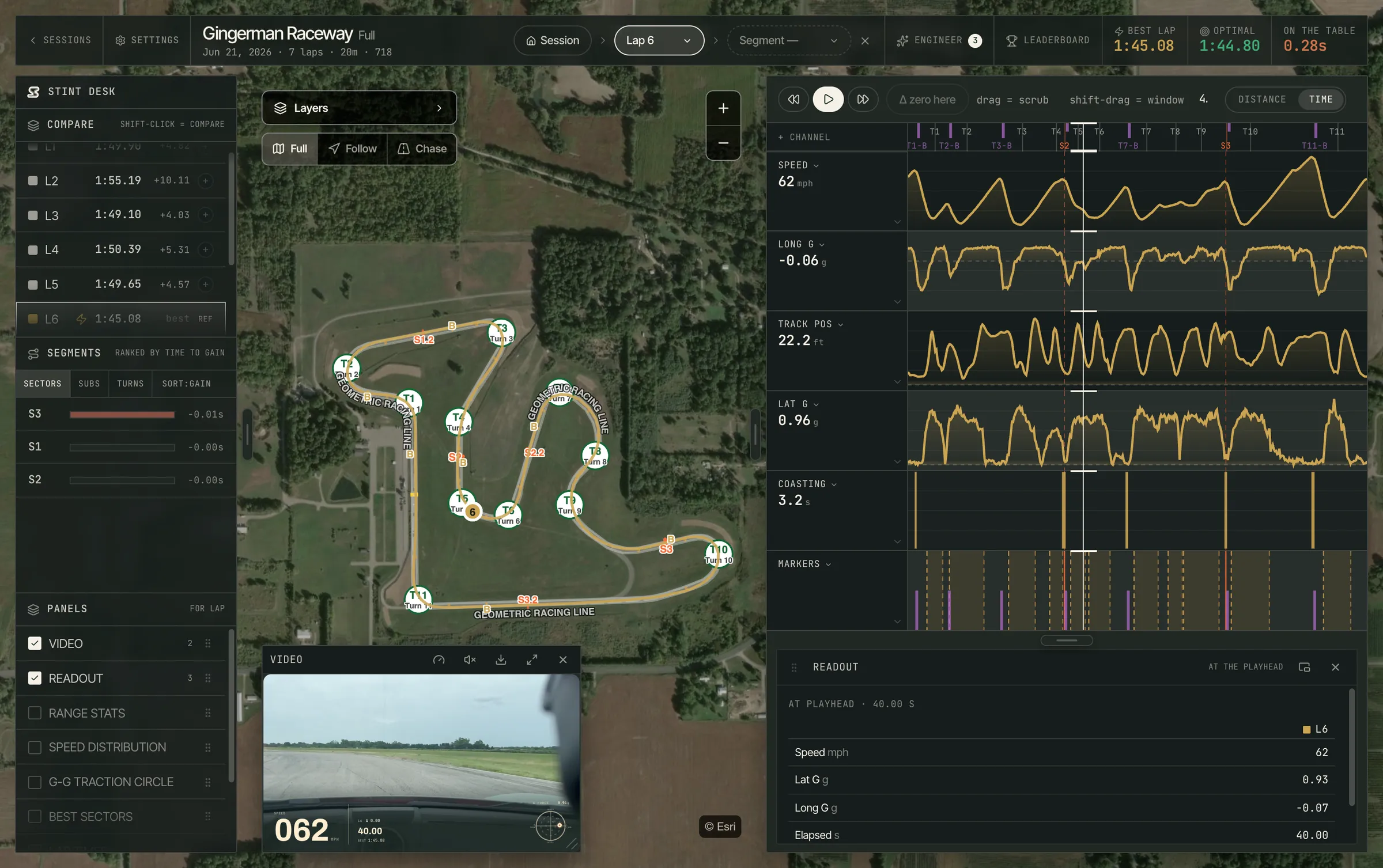
Stack a whole day of laps, zero in on any stretch of track, and build the view you want to work in — on a screen with room for all of it.
01
Lap on lap on lap.
Was that corner a habit or a one-off? Overlay up to nine laps — from this session, another day, or another driver on the track’s Leaderboard.
02
Any stretch. No stretch.
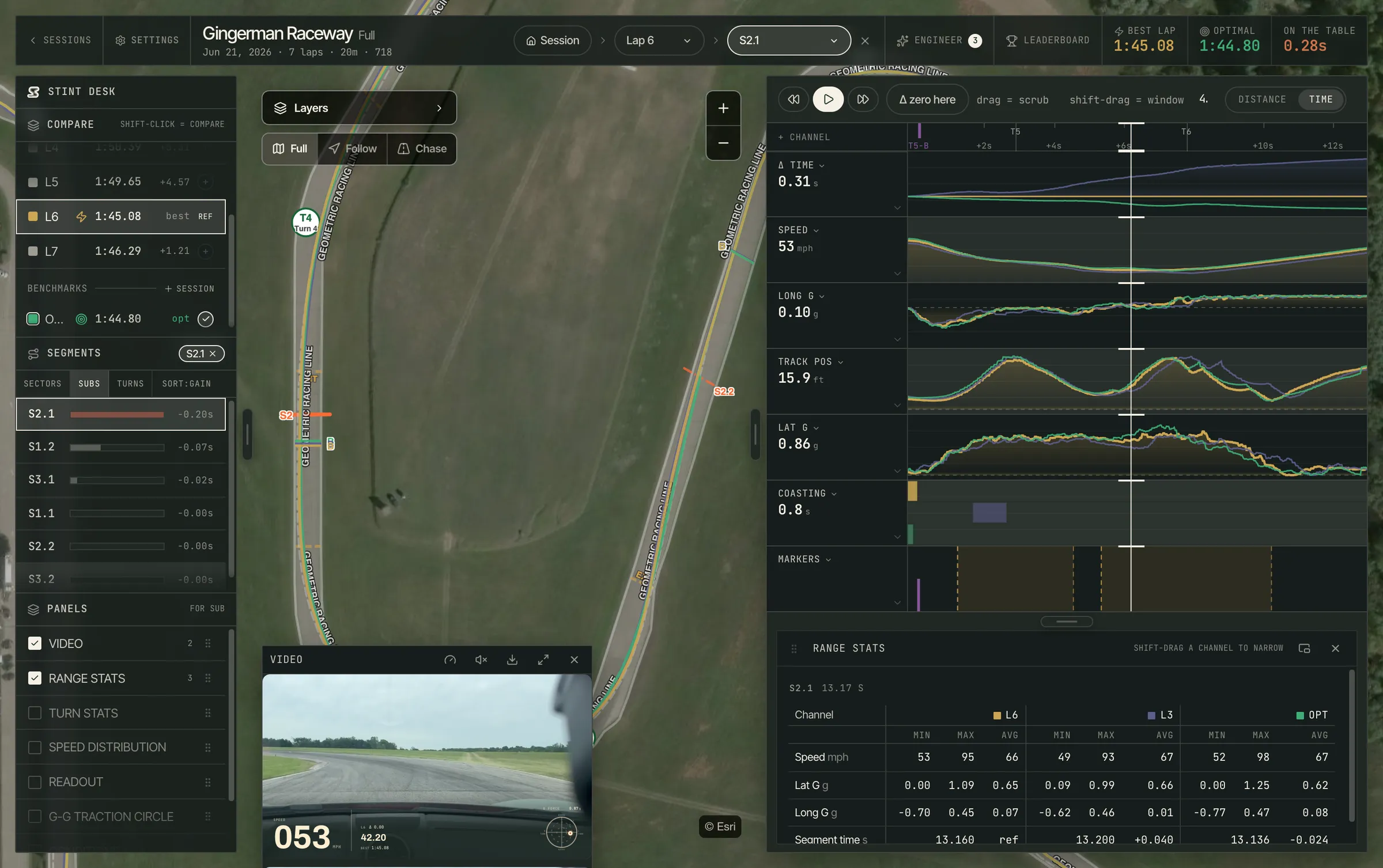
Judge one corner without the rest of the lap in the way. Narrow to a sector, a turn, or any stretch you drag out, and every chart and reading is recomputed for just that piece.
03
Built your way.
Sixteen panels and twelve telemetry channels — map, video, traces, tables — that you show, hide, and order yourself. Keyboard shortcuts cover playback, scope, and lap selection.
04
Total recall.
Every session you have recorded, in one list. Filter by track, car, tire, conditions, or personal bests; search by track or car; sort by date or best lap.
getstint.app/dashboard/session
Stint on the web — Session
Section 4 of 6

Every track, every turn.

Reference lines, turns, and sector splits come with each North American track we support, so your data means something from lap one.

View all tracks
Don’t see yours? It’s probably next. Request a track →
Section 5 of 6

Ask us anything.

Yes. Stint gives you the debrief a good instructor would — plain English, back in the paddock, after every session. Beginners get a short list of what to work on next run, not walls of raw data.

Any RaceBox device — Mini, Mini S, or Micro — over Bluetooth, or the GPS already in your iPhone or iPad. A RaceBox is what we recommend: your phone fixes position about once a second, a RaceBox twenty-five times, and corner-level detail needs the higher rate. The essentials still run on phone GPS — lap timing, a live delta, and a debrief sector by sector — just painted with a broader brush.

What the sample rate changes
Phone GPS~1 HzRecommendedRaceBox25 Hz
Lap detection & timing~1.0 s~0.04 s
Live delta vs your bestCoarseYes
Sector splits & optimal lapWith good GPSYes
Race engineer debriefPer sectorPer corner
Turn-by-turn analysis—Yes
Brake markers & racing line—Yes
Coasting segments—Yes
Video sync & data exportYesYes

Stint reads the live stream, not sessions stored on the device. If a Mini S or Micro is left standalone-recording below 25 Hz, it streams at that lower rate — turn standalone recording off for full 25 Hz. · Stint is not affiliated with RaceBox

Built-in phone GPS samples at ~1 Hz. Stint interpolates each crossing between fixes rather than rounding to them, so phone timing is good to roughly a tenth — fine for tracking your PBs, less ideal for tenths-level comparisons. A RaceBox Mini streams 25 Hz for ~0.04 s precision, finer than the pro-grade GPS loggers most paddocks run — which is why we recommend one. Timing is only half of it: at 1 Hz a corner is two or three points, and interpolating between them just draws a straight line through the apex. At 25 Hz you get a fix roughly every meter — the resolution turn-by-turn work needs to show your actual line, apex and brake point. Automatic start/finish and sector detection work on either.

Yes — all of it, any session, any time, in a format something else can read. Nothing is held back.

Channels · up to 25 Hz

GPS position · Speed · Longitudinal, lateral and vertical G · Lap number, on every sample. Per-lap times and speeds come with the JSON export.

Export formats
CSV
Every sample, one row each — straight into Excel, Sheets, or your own notebook.
GPX
Position and timestamps in a format any mapping or telemetry tool already reads.
JSON
The same samples, plus the session itself: your notes, and a time and speeds for every lap.
MP4
Your video, with or without the data on it, for the group chat.
SQLITE
Your whole history in one download: every session, every sample.
Sessions sync across your devices · Export from phone, tablet, or desk
Yes. Download track data ahead of time over wifi or cell, and a full session runs with no signal at all — lap timing, deltas, sector splits, and the full analysis all work offline on the device. You'll still get a debrief offline, generated on-device; the fuller cloud debrief and syncing across your phone, tablet, and the web both need a connection. Back in range, open the app and pull to refresh — the day goes up, and the cloud debrief follows.
Still curious? hello@getstint.app
Section 6 of 6Early access
Free at launch on iPhone and iPad. Full telemetry, AI debriefs, video overlay, exports. First come, first fast.
COMING LATE 2026
GPS lap timingReal-time delta timingAdvanced lap analysisAdvanced turn analysisRacing line analysisTheoretical best lapAI-powered race engineerData export (CSV / GPX / JSON)Cloud syncVideo-synced telemetry playbackTelemetry overlay video exports